
Why Your Google Business Profile Isn't Generating More Calls
If you're like most local business owners, you've probably claimed your Google Business Profile, added some information, uploaded a few photos, and then moved on with your day. Simply having a profile doesn't generate calls, and the businesses that consistently earn new customers from Google aren't always the best businesses in town — they're the ones that are easiest to find, easiest to trust, and easiest to contact.
On This Page
Having a Profile Isn't a Strategy
Every day, potential customers open Google and search for plumbers, electricians, roofers, landscapers, contractors, attorneys, movers, and dozens of other local services. When they do, Google shows them a short list of businesses — and the ones that get chosen aren't necessarily the oldest, largest, or highest quality. They're the ones whose profiles are working the hardest at that exact moment.
A Google Business Profile is not a directory listing you set once and forget. It's a live storefront that Google evaluates every time a nearby customer types in a query. If your profile looks incomplete, out of date, or unengaged compared to the competitor next to you, Google has no reason to prioritize your listing — and the customer has no reason to click it.
This is why so many business owners feel like Google is broken. They know they do good work. They know their customers love them. But calls aren't coming in, and they can't figure out why. The answer is almost always the same: the profile is passive when it needs to be active. If you want to understand the foundation behind this, read why every local business needs a Google Business Profile.
Step 1: Customers Have to Find You
Before someone can call your business, they need to discover that you exist. When a customer searches for a service in their area, Google evaluates dozens of signals to decide which handful of businesses to show in the local map pack. If you don't clear that first bar, nothing else on your profile matters — because no one will ever see it.
The signals Google weighs most heavily include profile completeness, review count and quality, recent activity, the freshness and volume of photos, the accuracy of your business information, and how closely your categories and services match what the customer typed. Profiles that check most of those boxes tend to rise. Profiles that look abandoned quietly slip out of the map pack, and the owner never knows it happened.
This is what visibility matters really means. It's not about vanity impressions — it's about being one of the three businesses a customer even considers when they're ready to call. If you want the fuller breakdown of the ranking mechanics behind this, our Ultimate Guide to Google Business Profiles walks through them in order.
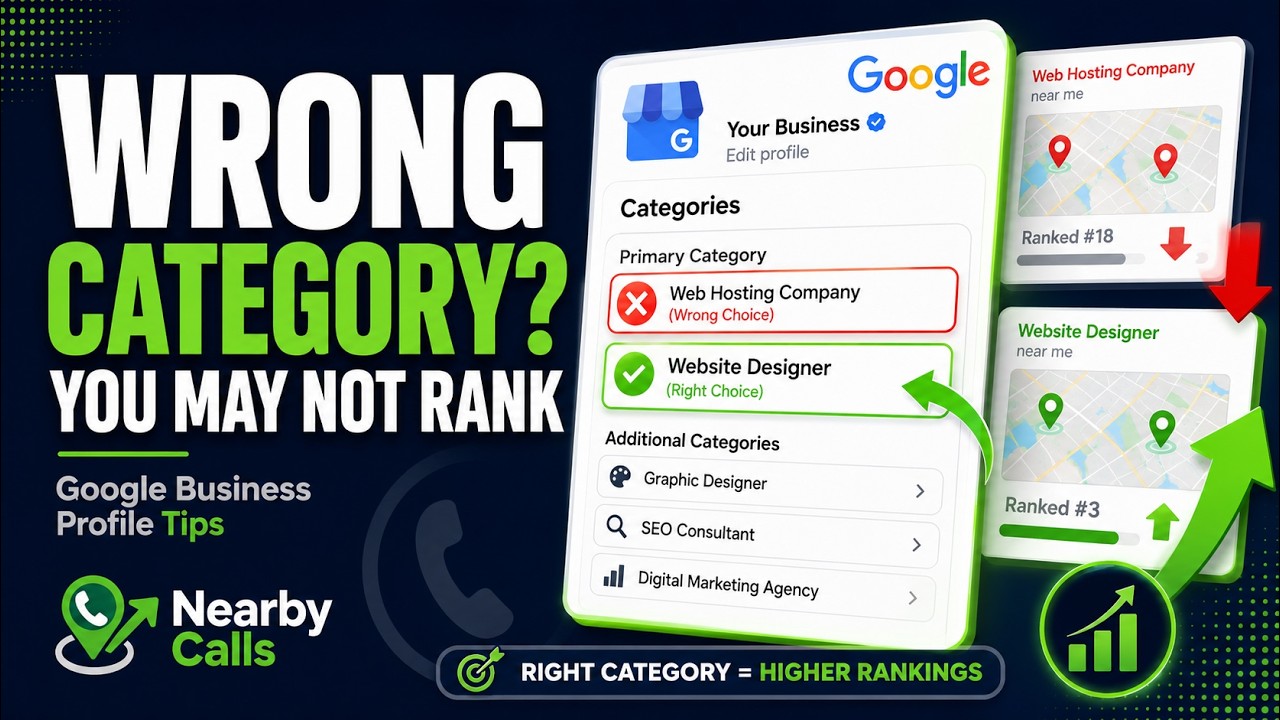
Fix Your Google Business Profile Categories to Rank Higher on Google Maps
Watch on YouTube
Step 2: Customers Have to Trust You
Getting found is only half the battle. Once a customer sees your profile in the map pack, they immediately begin comparing you to every other business on the page — and they do it in seconds. Before they ever visit your website, they've already made a shortlist based on what they saw on Google alone.
The signals customers use to build that shortlist are simple but ruthless: your star rating, your total review count, how recent those reviews are, the quality and volume of your photos, whether the owner responds to reviews, and how professional the overall profile looks. An outdated profile can make a great business look sketchy. A polished, active profile can make a smaller business look like the obvious choice.
This is why customers trust first and shop later. They're not reading every review carefully — they're scanning for reasons to eliminate you. Every stale detail on your profile is a reason to keep scrolling.
Step 3: Customers Have to Contact You
Even after a customer finds you and decides they trust you, they still have to take one more step: actually reaching out. And this is where a surprising number of businesses lose the sale to a competitor who was easier to contact, not necessarily better.
Your profile should make the next step obvious. The phone number should be visible and correct. The website link should open a page that loads quickly and answers the same question the customer just typed into Google. Hours should be accurate, directions should work, and services should be clearly listed so no one has to guess whether you're the right fit. Every unnecessary click or moment of confusion is a chance for the customer to bounce back to the search results and call the next name on the list.
For a deeper look at how the specific elements of your profile drive real phone calls, read how Google Business Profiles generate customer calls. And if your impressions look healthy but your calls don't match, our guide to turn views into calls covers the conversion side of the equation.
The Biggest Mistake Most Businesses Make
The single most common reason a Google Business Profile stops generating calls is that the owner treats it as a one-time setup project. They fill it out on a Saturday afternoon, get verified, and never open the dashboard again. Google, on the other hand, treats your profile as a living signal — and it rewards businesses that continue to update, improve, and engage with their listing over time.
That doesn't mean you need to spend hours in the dashboard every day. It means the profile needs a heartbeat: new photos added regularly, fresh reviews coming in on a steady cadence, updates or posts published now and then, questions answered when they appear, and business information kept accurate as things change. A profile with a heartbeat looks different to Google's algorithm than a profile that hasn't been touched in eight months — and it looks different to a customer scanning the map pack, too.
The businesses consistently generating calls from Google are the ones treating their profile as an ongoing marketing asset rather than a set-it-and-forget-it listing. If you want a concrete checklist for what "active" actually looks like, we cover it in how to fully optimize your profile.
The Find, Trust, Contact Framework
When we look at why some businesses get more calls than their competitors, the answer almost always fits into three questions in this order:
1FindCan customers see you when they search?→2TrustDo they believe you're the right choice?→3ContactIs it effortless to reach you?
If customers can't find you, they can't call you. If they don't trust you, they won't call you. And if it's difficult to contact you, they'll call someone else. Every profile problem — low call volume, missed leads, competitors pulling ahead — traces back to at least one of these three questions. The good news is that each one is fixable with the right strategy and consistent effort.
That's the philosophy the entire Nearby Calls Learning Center is built around. If you'd rather have this handled for you, Nearby Calls keeps local profiles active, reviewed, and ranking — so you can spend your time on the customers who are already calling.
Frequently Asked Questions
Related Articles
- What Is a Google Business Profile?
- Why Every Local Business Needs a Google Business Profile
- How Google Business Profiles Generate Customer Calls
- How to Fully Optimize Your Google Business Profile
- Why Some Businesses Get More Calls Than Others
- Why Visibility Matters More Than Website Traffic
- Why Customers Usually Call the Business They Trust First
- How to Turn More Google Views Into Calls
Get found, trusted, and called on Google.
Nearby Calls helps local businesses stay active on Google, collect more reviews, and generate more customer calls.
Learn About Nearby Calls