
How to Fully Optimize Your Google Business Profile
Most business owners treat their Google Business Profile like a static digital yellow page listing rather than a lead generation machine. You will learn how to fully optimize your google business profile to capture more real estate in search results and drive a higher volume of direct phone calls from local customers.
On This Page
- The foundation of accurate business information
- Strategic selection of primary and secondary categories
- Optimization through high-conversion visual content
- Generating and managing high-velocity reviews
- Using Google Updates to capture search real estate
- Technical accuracy through the Services and Products editor
- FAQs
The foundation of accurate business information
Optimization starts with your core identity. Your business name must match the real-world branding on your signage and legal documents. If you are a plumber in Phoenix named 'Water Flow Solutions,' do not try to name your profile 'Best Emergency Plumber Phoenix Water Flow Solutions.' This is keyword stuffing and often leads to immediate suspension. Keep the name clean and consistent across all platforms.
Your phone number is the most critical conversion point for local leads. Use a local area code whenever possible rather than a 1:800 number. Local customers trust a 602 or 480 area code in Phoenix because it signals you are actually in their neighborhood. Set your primary category to the most specific service you offer, like 'Plumbing Service' rather than a generic 'Home Improvement' category. This tells Google exactly which searches you should appear for.
Precision in your service area or physical address determines your reach. If you are a service-area business, define your radius clearly. Do not select the entire state if you only drive 30 miles. Over-extending your service area confuses the algorithm and dilutes your local authority. Google ranks you based on proximity, so focusing on the zip codes where you actually perform work ensures you show up when someone nearby searches for a pro.
Business hours need to be 100% accurate, especially for holiday or special events. A customer who drives to a shop only to find it closed will leave a one-star review before they get back to their car. Google tracks how many people click your profile and then stay at your location using location history. If hours are wrong, your 'bounce rate' in the physical world increases, which hurts your ranking over time. Want the full picture? Read our Ultimate Guide to Google Business Profiles.
Strategic selection of primary and secondary categories
The primary category carries the most weight for keyword relevance. If you are a dentist with 47 reviews, your primary category should likely be 'Dentist.' However, if 80% of your high-profit work comes from one specific area, you might test 'Cosmetic Dentist' or 'Pediatric Dentist' as your primary. Your choice here dictates which 'Local Pack' results you appear in most frequently.
Secondary categories allow you to capture a wider net of searches. A general contractor should add 'Bathroom Remodeler,' 'Kitchen Remodeler,' and 'Deck Builder' as secondary choices. Do not add categories that are irrelevant to your business just to get more views. Irrelevant traffic does not convert into calls, and it confuses Google’s understanding of what your business actually does.
Check your competitors who are ranking in the top three positions. Use a tool or simply look at their profiles to see their subcategories. If the top-rated dentist in town also lists 'Dental Implants Periodontist,' and you offer that service but haven't listed it, you are giving away market share. These categories act as tags that help Google match your services to specific user intent.
Remember that categories change seasonally for some businesses. A landscaping company in a cold climate might switch their focus to 'Snow Removal Service' in November. Update your categories to reflect the services currently in demand. This ensures your profile stays relevant for the specific problems customers are trying to solve right now. Related reading: The Most Common Google Business Profile Mistakes.
Warning: Edit sensitive fields carefully.Changing your primary category, business name, address, or phone number can push your profile back into an unverified state and temporarily unpublish it from Google Search and Maps until you re-verify (often by video). Make category refinements deliberately, one change at a time, and avoid editing multiple sensitive fields in the same week.
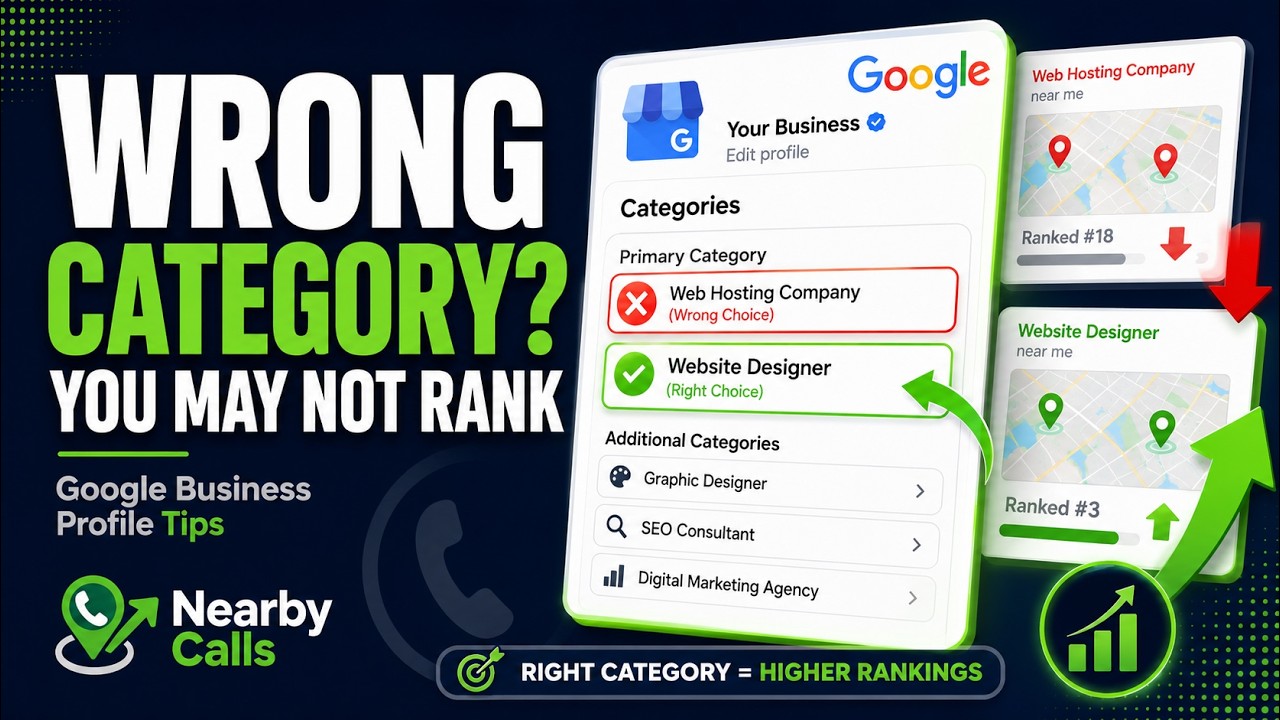
Fix Your Google Business Profile Categories to Rank Higher on Google Maps
Watch on YouTube
Optimization through high-conversion visual content
Photos are not just for aesthetics; they are data points for Google’s Vision AI. When you upload a high-resolution photo of a tankless water heater installation, Google's algorithm can identify the objects in the photo. This builds trust that you actually provide the services you claim. Aim for at least 20 to 30 high-quality images to start, including your team at work and your branded vehicles.
Real photos of your actual work, team, storefront, and completed jobs are always the top priority — they build trust in a way stock imagery simply can't match. That said, keeping a steady stream of fresh photos on your profile matters more than holding out for perfect ones. If a stock image is what you have, use it: geotag it to your service area, give it a descriptive filename, size it correctly, and get it uploaded. A consistently active gallery is its own ranking signal, so fill the gaps with stock when you must, but keep replacing them with real photos of your business as you capture them.
Include video content to increase the time users spend on your listing. A 30-second video showing a 'before and after' of a kitchen remodel or a quick tour of a retail shop provides a level of transparency that photos cannot match. Longer dwell time on your profile sends a signal to Google that users find your information helpful, which can boost your ranking visibility.
Name your image files before you upload them. Instead of 'IMG1234.jpg,' name the file 'tankless-water-heater-installation-phoenix.jpg.' While some experts debate the direct SEO impact of geotagging metadata, descriptive filenames provide clear context to search engines about the content of the media. Every small optimization adds up to a more dominant profile. Related reading: Why Business Categories Matter.
Generating and managing high-velocity reviews
Reviews are the loudest signal for local business visibility. A profile with 100 reviews and a 4.8 rating will almost always outrank a profile with 5 reviews and a 5.0 rating. You need a consistent 'review velocity,' meaning you should be getting new reviews every week. Google prioritizes businesses that show they are currently active and satisfying customers.
When you receive a review, respond to it immediately. Do not just say 'Thanks for the business.' Use the response to reinforce your services and location. For example, 'Thanks for the review, Mike! We were happy to help with your emergency plumbing repair in downtown Phoenix.' This naturally includes keywords and locations without looking like spam to the reader.
Negative reviews are an opportunity to show professionalism. Prospective customers often read the negative reviews first to see how the owner handles conflict. If you respond calmly and offer a resolution, you can turn a negative into a trust-building asset. Never get into an argument on your public profile; it drives away potential callers who fear you might be difficult to work with.
Ask your customers to include photos in their reviews. Reviews with images are prioritized by Google’s algorithm and are often pinned to the top of the review section. A customer's photo of a completed project is more credible than any photo you upload yourself. This social proof is the final nudge many users need to click the 'Call' button on your profile. Related reading: The Ultimate GBP Optimization Checklist.
Using Google Updates to capture search real estate
Google Updates, formerly known as Google Posts, function like mini-social media entries on your profile. They appear directly in the search results and give you extra space to pitch your services. Use these to highlight current promotions, new blog posts, or recently completed jobs. An active update section shows Google that the business is operational and engaged with the community.
Each update should include a clear Call to Action (CTA). If you are a plumber offering a $50 discount on water heater flushes, use the 'Book' or 'Call Now' button. This shortens the path from the user's search to a live lead in your database. These updates expire or get pushed down after a few weeks, so aim to post at least once every seven days.
Treat your updates like advertisements. Use high-contrast images and punchy headlines. Instead of 'We do roofing,' try 'Is your roof ready for monsoon season? Free inspections this week in Phoenix.' Specificity drives action. When you address a timely local concern, you become the obvious choice over a generic listing that hasn't been updated in months.
Technical accuracy through the Services and Products editor
The Services editor is where you list every specific job you perform. For a dentist, this means adding individual entries for 'Teeth Whitening,' 'Root Canals,' and 'Invisalign.' Each service should have a 100-300 word description. This is the place to use your secondary keywords naturally. Explain the process, the benefits, and why your local approach is superior.
If you sell physical items, use the Products editor. Even service-based businesses can use this to showcase packages or common installations. A plumber might list different models of water heaters as 'Products.' Products are visually prominent on mobile devices and often appear as a carousel, taking up significant screen space and drawing the eye toward your listing.
Consistency between your website and your Google Business Profile is a major ranking factor. Ensure the services listed on your profile have matching pages on your website. Google 'crawls' your site to verify the information on your profile. If your website mentions 'Sewer Line Repair' but your profile does not, you are missing an opportunity to rank for that high-intent term.
Regularly audit the 'Attributes' section of your profile. These are small tags like 'Veteran-Owned,' 'Wheelchair Accessible,' or 'Free Wi-Fi.' While they may seem minor, users often filter their searches based on these criteria. Being the only plumber in a five-mile radius tagged as 'Emergency Services' or 'Locally Owned' can be the deciding factor that wins you the phone call. If you would rather have this handled for you, Nearby Calls keeps local profiles active, reviewed, and ranking — so the calls come in.
Frequently Asked Questions
Get found, trusted, and called on Google.
Nearby Calls helps local businesses stay active on Google, collect more reviews, and generate more customer calls.
Learn About Nearby Calls