
The Most Common Google Business Profile Mistakes
You spent time setting up your Google Business Profile, but the phone still isn't ringing. Many business owners assume Google simply handles the ranking naturally, but specific errors in your data are likely blocking your visibility. You will learn how to identify and fix the technical hurdles that prevent your business from appearing in the local Map Pack.
On This Page
Keyword stuffing in the business name
Adding extra words to your business name is the most frequent mistake local business owners make to try and rank higher. If your legal business name is 'City Plumbing,' but you list it as 'City Plumbing & Drain Cleaning Phoenix Best Local Plumber,' you are violating Google’s terms. This tactic might give you a temporary boost in Google Maps ranking, but it eventually leads to a hard suspension that removes your business from search results entirely.
Google requires your name to reflect your real-world signage and branding. A plumber in Phoenix who tries to game the system with keywords usually gets flagged by competitors who use the 'suggest an edit' feature. When your profile is suspended, you lose all your reviews and history, which kills your local business visibility overnight. Stick to your actual name to build long-term authority.
Precision in your naming also helps with brand recognition. If a customer sees 'City Plumbing' on a billboard but finds 'Top Rated Phoenix Plumbing Services Inc' on Google, they might get confused and click a competitor instead. Consistency builds trust, and trust leads to more phone calls from qualified leads who already know your brand.
If you truly want your keywords in the title, you must legally change your business name with the state. This involves updating your DBA (Doing Business As) and changing your physical signage. Short of doing that, your Google Business Profile name must match your official documents. Google's algorithm is smart enough to understand what you do based on your categories and description without you forcing keywords into the title field. Want the full picture? Read our Ultimate Guide to Google Business Profiles.
Ignoring the primary category selection
Your primary category carries more weight than any other field on your profile. A common error is choosing a category that is too broad or just slightly off. For instance, a dentist who specializes in orthodontics might mistakenly set 'Dentist' as their primary category instead of 'Orthodontist.' This simple mistake means they are competing against every general practitioner in town instead of ranking at the top for their specific specialty.
Google uses this category to decide which searches your business is relevant for. If your primary category is wrong, you won't show up when people search for specific high-intent services. You should research your top three competitors in the Map Pack to see which primary category they use. You can often see this by looking at their profile on Google Maps; the primary category is listed right under the business name.
While you can add up to nine secondary categories, the primary one is the heavy hitter. Using secondary categories correctly helps you capture related searches without diluting your main focus. An HVAC contractor in Phoenix, for example, should set the primary category to match the service they most want calls for — likely 'Air Conditioning Repair Service' in a hot market — and use 'Heating Contractor' or 'Air Quality Testing' as secondaries. Flip the primary to something less relevant to your local demand and Google will start showing your profile for the wrong searches, sending you leads that don't match the work you actually want.
Check your categories quarterly. Google frequently adds new, more specific categories, and refining your selection is a core part of Google Business Profile optimization that directly impacts how many calls you receive from local searchers. Related reading: How to Fully Optimize Your Google Business Profile.
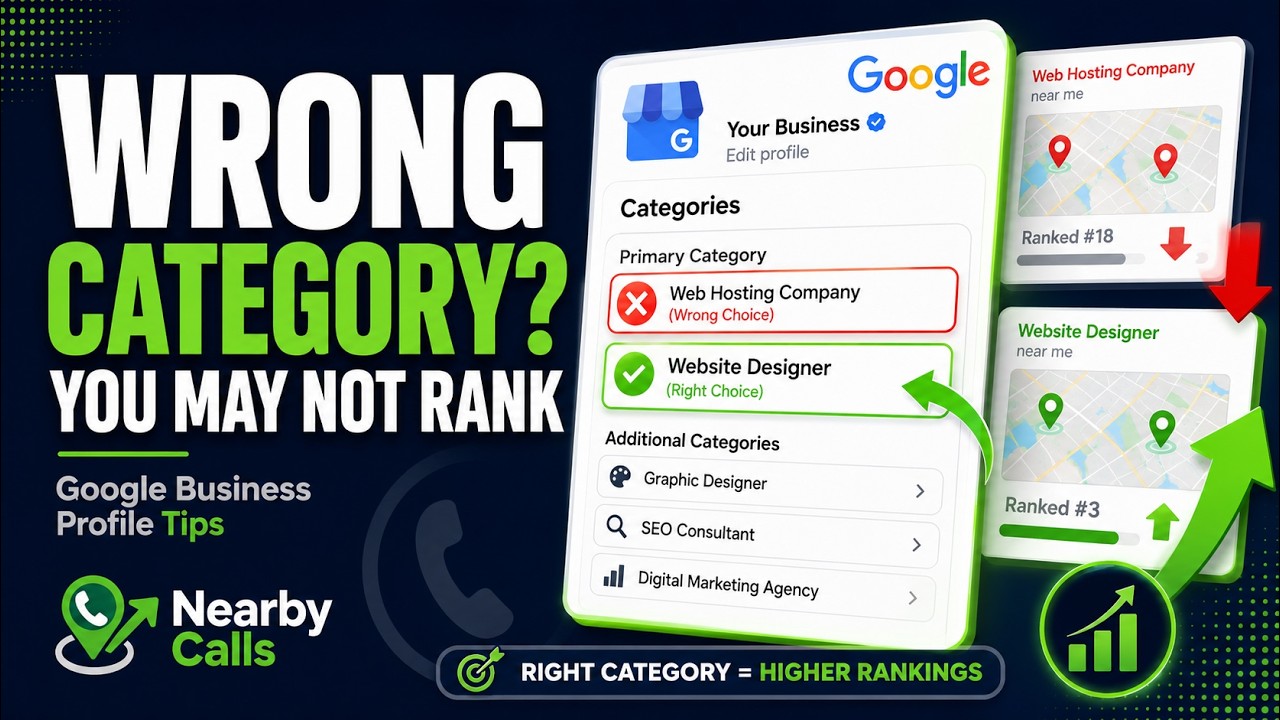
Fix Your Google Business Profile Categories to Rank Higher on Google Maps
Watch on YouTube
Warning: Edit sensitive fields carefully.Changing your primary category, business name, address, or phone number can push your profile back into an unverified state and temporarily unpublish it from Google Search and Maps until you re-verify (often by video). Make category refinements deliberately, one change at a time, and avoid editing multiple sensitive fields in the same week — especially during your busy season, when losing visibility for a few days can cost real calls.
Inconsistent NAP data across the web
NAP stands for Name, Address, and Phone Number. Google scrapes the entire internet to verify that your business information is legitimate. If your address is listed as '123 Main St' on Google but '123 Main Street, Suite 4' on Yelp and '123 Main' on your website, Google gets confused. Inconsistency signals to the algorithm that your data might be unreliable, which lowers your ranking in Google Maps.
Think of every mention of your business online as a 'citation.' Each citation acts like a vote of confidence. When local citations are fragmented with different phone numbers or old addresses, those votes don't count toward your authority. A dentist with 47 reviews might still be outranked by someone with 20 reviews if the second dentist has perfectly synchronized data across every local directory.
You should audit your presence on major platforms like Facebook, Yellow Pages, and Bing. Use the exact same formatting everywhere. If you use 'Ste' for suite on Google, use 'Ste' everywhere else. This uniformity makes it easy for Google's bot to connect the dots and attribute all your online activity to a single, authoritative profile.
Don't forget the phone number. If you use a tracking number on your website but a different local number on your Google profile, ensure the primary number on your profile is the one associated with your physical location. You can put tracking numbers in the secondary phone field, but the main local number should be consistent across all your public footprints. Related reading: Why Your Google Business Profile Isn't Ranking.
Lack of high-quality owner-uploaded photos
Most business owners let customers upload photos and call it a day. This is a mistake because customer photos are often blurry, dark, or irrelevant. If the first thing a potential lead sees is a grainy photo of a receipt or a messy job site, they won't call. You need to take control of your visual narrative by uploading professional, high-resolution images of your work, your team, and your office.
Profiles with more than 100 photos receive significantly more clicks and calls than those with fewer. For a service-based business, show 'before and after' shots. For a retail shop, show the interior and exterior in daylight so people know exactly what to look for when they drive by. This reduces the friction of visiting your business or picking up the phone.
Real photos of your team, your storefront, your vehicles, and actual jobs you've completed will always outperform stock imagery — customers connect with the real 'you,' and Google's AI can tell the difference. That said, posting something is almost always better than posting nothing. If all you have on hand is a stock image, upload it, geotag it to your service area, and fully optimize the file (descriptive filename, compressed size, correct dimensions). A consistently fresh gallery is a ranking signal on its own, so keep the photos flowing while you build up a library of real-work shots to replace them over time.
Update your photos regularly. A profile with photos from 2018 looks abandoned. Even if your business hasn't changed, fresh images signal to Google that the profile is active. This activity is a minor but consistent ranking signal. Aim to upload at least two or three new photos every month to keep your profile looking current. Related reading: The Ultimate GBP Optimization Checklist.
Treating reviews as a one-way street
Getting reviews is only half the battle. Failing to respond to them is a massive missed opportunity for both SEO and conversion. When you respond to a review, you are not just talking to that one customer; you are talking to every future customer who reads that exchange. A thoughtful response to a negative review can actually win you more business than a generic 5-star rating with no text.
Responses show Google that you are an active and engaged business owner. It also provides an opportunity to naturally use your service keywords. If a customer praises your 'emergency furnace repair,' your response can mention how glad you are to help with 'emergency furnace repair in [City].' Don't overdo it, but use the space to reinforce what you do.
Speed matters. If a customer leaves a complaint and you wait three weeks to respond, the damage is done. Aim to respond to all reviews within 24 to 48 hours. This level of attentiveness is a signal to prospects that if they have a problem, you will be there to fix it. It directly boosts your local business visibility by demonstrating high-quality customer service.
Never argue with a customer in the review section. Even if they are wrong, stay professional. Offer to take the conversation offline by providing a phone number. This shows potential callers that you are reasonable and professional. A profile with 100 reviews and active responses will always outperform a profile with 150 reviews that are left ignored.
Neglecting the Google Business Posts feature
Google Business Posts are like mini-advertisements that appear directly on your profile. Many owners ignore this, letting their profile look static. By posting regularly, you keep your profile fresh and provide 'hooks' for customers to click. You can post about current offers, new team members, or specific projects you've just finished.
Posts expire from the main view after a period, so consistency is key. At a minimum, you should post once a week. Use a strong call-to-action (CTA) button like 'Call Now' or 'Book.' When someone is searching on a mobile device, that 'Call Now' button on a post is the fastest way for them to contact you, bypassing your website entirely.
This is also a great place to showcase your expertise. A local mechanic can post a tip about checking tire pressure in the winter. This builds authority and keeps your business top-of-mind. While posts don't directly boost your ranking in the traditional sense, they increase the 'dwell time' on your profile, which is an indirect signal to Google that your result is valuable to users.
Make sure your post images aren't cropped poorly. Google's post window is a specific size, and if your text or your logo is cut off, it looks unprofessional. Test your posts on a mobile phone to ensure they look right. High-quality posts turn casual browsers into direct phone calls. If you would rather have this handled for you, Nearby Calls keeps local profiles active, reviewed, and ranking — so the calls come in.
Frequently Asked Questions
Get found, trusted, and called on Google.
Nearby Calls helps local businesses stay active on Google, collect more reviews, and generate more customer calls.
Learn About Nearby Calls