
Why Your Google Business Profile Isn't Ranking
You built a Google Business Profile expecting the phone to ring, but your dashboard shows little to no activity. This guide explains the specific technical and tactical reasons your listing stays stuck on page two, and how you can fix them to start generating more calls from local searchers.
On This Page
Proximity and the physical location trap
Google prioritizes distance above almost everything else. If a homeowner searches for a plumber while standing three blocks away from your competitor, that competitor will likely win the top spot even if you have better reviews. This is the proximity factor, and while you cannot change your physical office location, you can influence how Google views your reach. Many business owners make the mistake of trying to rank in a major metro area while their physical address is registered in a small suburb twenty miles away. Google sees this discrepancy and suppresses your ranking for the city center because you simply aren't the closest option for those users.
To combat this, you must prove your relevance to specific neighborhoods through localized content and mentions. For example, a plumber in Phoenix who is physically located in Scottsdale should stop trying to rank for the entire valley. Instead, focus on dominating the specific Scottsdale zip codes through project photos and customer reviews from those exact areas. When Google sees consistent activity linked to specific coordinates, it expands your ranking radius slightly. However, you must accept that your ranking will always be strongest in a three-to-five-mile circle around your front door. If you want calls from further away, you need a different strategy than just organic profile optimization.
Avoid the temptation to use a P.O. Box or a virtual office at a UPS Store to manipulate your location. Google's algorithm is aggressive at detecting non-physical storefronts. If you get caught, your profile won't just rank poorly; it will be suspended entirely. Stick to your actual place of business and work on maximizing visibility within your immediate vicinity first. Once you own your backyard, you can branch out through other digital marketing avenues. Real calls come from people who see you are close enough to arrive quickly when they have an emergency.
Think of your profile as a radio station. The signal is strongest at the tower and fades as you drive away. You can boost the signal by increasing your profile's authority, but you will never reach the next state without a new tower. If your business depends on a large service area, ensure your 'Service Areas' in the dashboard are set correctly, but do not exceed two hours of driving time. Overextending your service area often confuses the algorithm and dilutes your ranking strength in the areas that actually matter to your bottom line. Want the full picture? Read our Ultimate Guide to Google Business Profiles.
Primary category selection and keyword conflicts
Your primary category is the single most important piece of data on your profile. If you are a dentist who also does teeth whitening, you must choose 'Dentist' as the primary and 'Teeth Whitening Service' as the secondary. If you flip these, you might rank for whitening, but you will disappear when someone searches for a general dentist. Many owners pick a category that is too specific or, conversely, too broad. A specialized law firm might choose 'Legal Services' when 'Personal Injury Attorney' would drive significantly more qualified phone calls from people ready to hire.
Keyword stuffing your business name is another common reason for ranking stagnation. If your legal name is 'Smith Plumbing' but you change your profile name to 'Smith Plumbing - Best Emergency Plumber Phoenix,' you are violating Google's Terms of Service. While this might give you a temporary boost, it eventually triggers a manual review or an algorithmic filter. Google prefers clean, honest data. If your profile name matches your signage and your website exactly, you build trust with the algorithm. Trust translates directly into higher rankings and more frequent appearances in the Local Pack.
Check your secondary categories monthly. Google frequently updates the available options. A landscaping company might find that new categories like 'Irrigation System Repair' or 'Landscape Lighting' have been added. By adding these as secondary categories, you widen the net of search terms that trigger your profile. However, do not add categories that don't apply to you. Irrelevant categories lead to high bounce rates—users click your profile, see you don't do what they need, and leave immediately. This negative user behavior signals to Google that your profile isn't a good match for the search, causing your rank to drop.
Consistency across the web is the final piece of the category puzzle. If your Facebook page says you are a 'Home Improvement Contractor' but your Google profile says 'Kitchen Remodeler,' it creates a data conflict. Google wants to see a unified identity. Ensure your primary category aligns with the main keywords on your website's homepage. When the information on your site matches the information on your profile, Google feels confident in showing your business to users, which leads to the high-intent calls you are looking for. Related reading: How to Fully Optimize Your Google Business Profile.
Warning: Edit sensitive fields carefully.Changing your primary category, business name, address, or phone number can push your profile back into an unverified state and temporarily unpublish it from Google Search and Maps until you re-verify (often by video). Make category refinements deliberately, one change at a time, and avoid editing multiple sensitive fields in the same week.
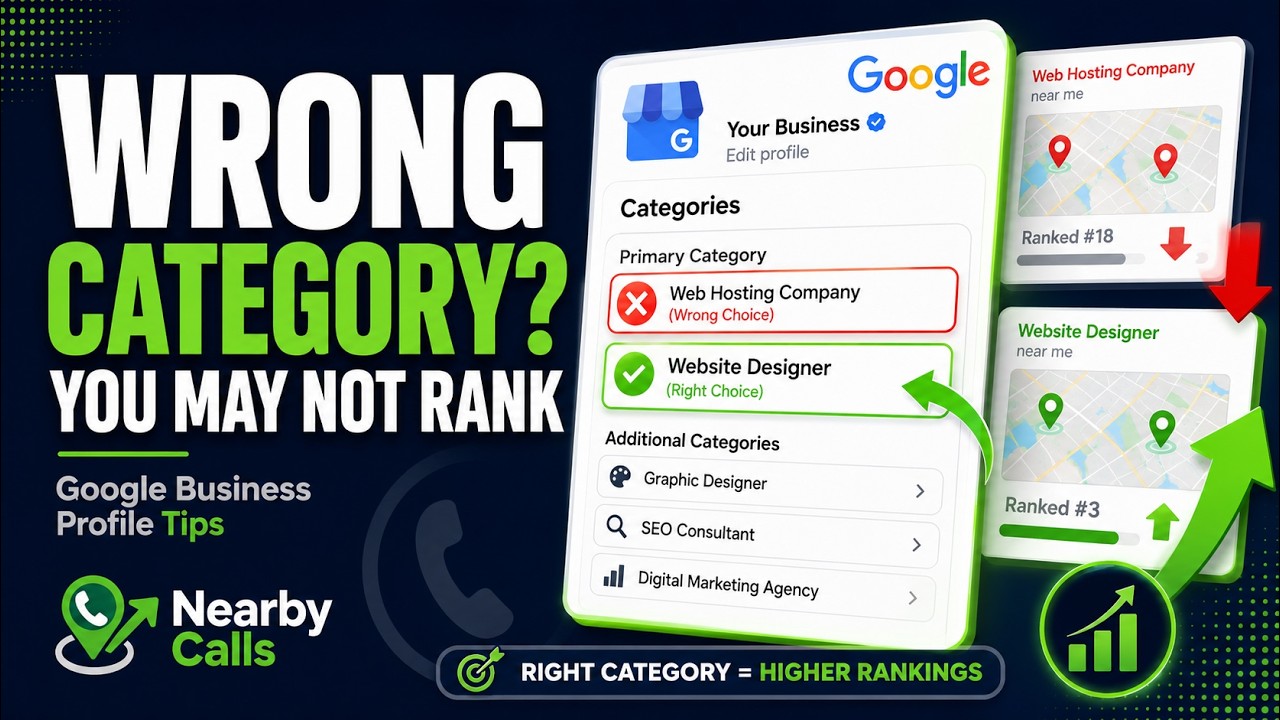
Fix Your Google Business Profile Categories to Rank Higher on Google Maps
Watch on YouTube
Negative review velocity and response gaps
A dentist with 47 reviews might rank lower than a dentist with only 30 reviews if those 30 reviews are more recent. This is known as review velocity. If you went on a push for reviews three years ago and haven't received a new one in six months, Google considers your business less relevant or potentially closed. Stagnant profiles do not rank well. You need a consistent stream of new feedback to show that your business is active and providing a good experience to the community right now. A sudden spike of 50 reviews in one day followed by silence is also a red flag for fraud.
The way you respond to reviews matters just as much as the reviews themselves. If you are ignoring negative feedback, you are telling Google you don't care about customer service. Negative reviews don't actually kill your ranking, but ignoring them does. When you respond to a one-star review professionally, you demonstrate engagement. Furthermore, your responses should naturally include service keywords. If a customer mentions your 'leaky pipe repair,' your response should thank them for choosing you for their 'plumbing needs in Phoenix.' This helps Google associate your business with those specific services.
Avoid incentivizing reviews with discounts or free products. Google’s AI is increasingly proficient at spotting fake or coerced reviews. If a large number of reviews are deleted because they were flagged as spam, your profile's authority will tank. Instead, make it easy for happy customers to leave feedback by providing a direct link via text or email immediately after the service is completed. The closer the review is to the time of service, the more likely the customer is to include specific details about what you did, which provides valuable context for the search engine.
Do not panic over a single bad review. A perfect 5.0 rating actually looks suspicious to many consumers and some ranking algorithms. A 4.8 or 4.9 rating with a few honest, addressed criticisms feels more authentic. The goal is to have a higher volume of positive sentiment than your competitors. If the average roofer in your town has 20 reviews and you have 80, you have built a 'moat' of social proof that makes it very difficult for Google to justify ranking anyone above you. High volume plus high recency equals more phone calls. Related reading: How Google Decides Which Businesses Rank First.
Incomplete profile data and ghosted updates
A half-empty profile is a ranking killer. Google gives preference to 'complete' entities because they provide a better user experience. If you haven't filled out your business description, listed every specific service you offer, and added your business hours, you are leaving money on the table. Every missing field is a missed opportunity to feed the algorithm data about what you do. For instance, in the 'Services' section, don't just list 'HVAC.' List 'AC Installation,' 'Furnace Repair,' 'Thermostat Programming,' and 'Duct Cleaning.'
The 'Google Posts' feature is often ignored by small business owners, but it is a powerful signal of activity. When you post an update, a photo of a recent job, or a special offer, you are telling Google that the lights are on. Profiles that post at least once a week tend to see higher engagement than those that haven't posted in a year. Treat Google Posts like a mini-social media feed for your business. Use high-quality photos of your team or your branded trucks. Real photos outperform stock photography every time because they prove you are a local, functioning business.
Hours of operation are another critical data point. If your profile says you are closed, you will almost never show up in the Local Pack for a 'near me' search at that moment. However, if you claim to be open 24/7 just to catch calls but don't actually answer the phone, your bounce rate will skyrocket. If people call from the profile and the call duration is zero seconds because no one picked up, Google notices. They want to connect users with businesses that actually solve their problems. Accurate hours and high answer rates lead to better long-term rankings.
Review your 'Attributes' regularly. These are the small tags like 'Women-owned,' 'Veteran-led,' or 'Wheelchair accessible.' While these might not be primary ranking factors, they appear in search filters. If a user filters for a specific attribute that you have but didn't check, you disappear from their results entirely. Spend twenty minutes once a month going through every single setting in your Google Business Profile manager to ensure nothing has been left blank or changed by a 'suggested edit' from a random user. Related reading: Understanding Google's Local Ranking Factors.
Website technical errors and local signals
Your Google Business Profile does not exist in a vacuum; it is tied directly to your website. If your website is slow, not mobile-friendly, or lacks local SEO optimization, your profile ranking will suffer. Google uses your website's content to verify the information on your profile. If you want to rank for 'emergency water damage restoration,' that exact phrase should appear in a H1 or H2 tag on your homepage. If your website only talks about general cleaning, Google won't feel confident ranking your profile for specialized restoration searches.
Link signals are still a massive part of the local algorithm. If other local businesses, the Chamber of Commerce, or local news sites link to your website, it passes 'local authority' to your Google profile. Think of it as a digital vote of confidence. A plumber in Phoenix who is mentioned on a local neighborhood blog and a statewide trade association site will almost always outrank a plumber with no outside links. You don't need thousands of links; you need a few high-quality, relevant ones from your specific geographic area.
The landing page you link to from your profile matters immensely. Most businesses link to their homepage, which is fine, but if you have multiple locations, each profile must link to its specific location page. That location page should have the business name, address, and phone number (NAP) embedded in the code using Schema markup. This technical background data acts as a map for Google’s crawlers, confirming that 'Business A' really is located at 'Point B.' Without this, you are relying on Google to guess, and Google doesn't like guessing.
Mobile optimization is non-negotiable. Over 70% of local searches happen on mobile devices. If a user clicks from your Google profile to your website and it takes five seconds to load, they will hit the back button. This interaction tells Google that your website—and by extension, your business—provided a poor experience. This leads to a drop in the rankings. Ensure your site is fast, the 'Call' buttons are easy to find, and the text is readable without zooming. A seamless transition from Google to your site encourages the user to finish the conversion and call you.
Unseen user behavior metrics and engagement
Google tracks how users interact with your profile, and these 'signals' heavily influence your rank. The most important metric is the click-through rate (CTR). If your profile shows up in the top three but nobody clicks on it, Google will eventually replace you with the fourth-place business that gets more clicks. To improve CTR, you need an eye-catching cover photo and a high volume of positive reviews. People click on what looks successful and professional. If your competitors have great photos and yours is a blurry shot of your dashboard, you will lose the click every time.
The 'Search to Call' ratio is another hidden metric. Google knows when a user clicks the 'Call' button on your profile. If your profile gets 100 views but zero calls, it suggests you aren't providing what users need. On the other hand, if your profile generates a high volume of phone calls relative to your views, Google will reward you with even more visibility. You can drive this engagement by using a clear Call to Action in your business description and Google Posts, such as 'Call us today for a free estimate' or 'Same-day service available.'
Photo quantity and quality are massive engagement drivers. According to Google's own data, businesses with more than 100 photos receive 520% more directions requests and 103% more website clicks than those with only a few photos. You should be uploading new photos weekly. Showcase your finished work, your office interior, and your staff in action. This humanizes the business and gives users a reason to spend more time on your profile. The longer a user lingers on your listing, the stronger the signal to Google that your content is valuable.
Frequently Asked Questions
Get found, trusted, and called on Google.
Nearby Calls helps local businesses stay active on Google, collect more reviews, and generate more customer calls.
Learn About Nearby Calls