
The Ultimate GBP Optimization Checklist
Most business owners treat their Google Business Profile like a static business card, but it functions more like a high-speed engine for generating phone calls. A half-finished profile keeps you buried in the search results while your competitors claim every customer in your zip code. This ultimate Google Business Profile optimization checklist gives you the exact steps to rank higher on Google Maps and turn generic searches into direct phone calls for your local business.
On This Page
Standardized business information for map accuracy
Your business Name, Address, and Phone number (NAP) must be identical across every corner of the internet. Google’s algorithm compares your profile to your website, Yelp page, and local chamber of commerce directories to verify your legitimacy. If a plumber in Phoenix lists their address as '123 Main St' on Google but '123 Main Street, Suite A' on their website, the search engine sees a conflict that can hurt their ranking. Ensure your name is your real-world legal name without adding 'spammy' keywords that aren't part of your registered business identity.
Choose your primary category with extreme care because it dictates which search terms trigger your profile. A dentist with 47 reviews might struggle to show up for 'emergency tooth repair' if they haven't specifically selected 'Emergency Dental Service' as a secondary category. Use one primary category that describes your general business and up to nine secondary categories to cover the specific services you provide. This structure alerts Google that you are a relevant answer for a wide variety of localized search queries.
Your service area settings are just as vital as your physical address. If you are a mobile locksmith, you should define your service area by specific zip codes or city names rather than a broad, vague radius. Providing specific locations helps Google understand your physical reach, ensuring you appear in the 'Local Pack' when a customer nearby searches for immediate help. An accurate map pin and a verified phone number are the two most important factors for driving 'click-to-call' actions from mobile users who are ready to hire you right now. Want the full picture? Read our Ultimate Guide to Google Business Profiles.
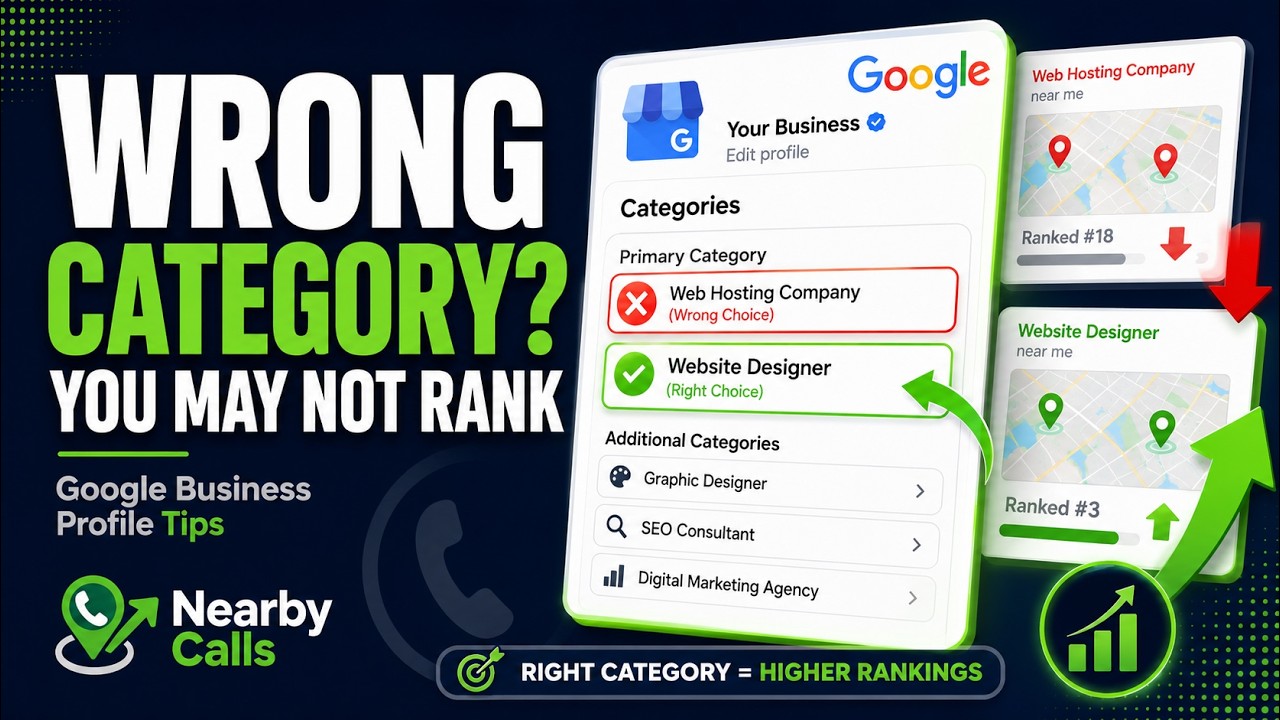
Fix Your Google Business Profile Categories to Rank Higher on Google Maps
Watch on YouTube
Strategic descriptions to improve local search relevance
The business description field allows for 750 characters, and you should use almost all of them to demonstrate why you are the best local choice. Avoid generic corporate language and focus on the specific problems you solve for your community. Mention the neighborhoods you serve and the most common services you perform, such as 'full-service residential roofing in North Scottsdale' or 'emergency pipe repair for Tempe homeowners.' This localized phrasing helps Google associate your profile with the specific geographic terms your customers are typing into the search bar.
Do not waste space with information that changes frequently, like current sales or seasonal hours, as these belong in your Google Updates. Instead, highlight your unique selling points like 'locally owned since 1998' or 'licensed and insured technicians.' While Google says keywords in the description don't directly boost rankings, they do influence the customer’s decision to click the call button. When a user sees their specific problem mentioned in your description, they feel more confident that you are the right professional for the job.
Every sentence in your description should move the reader toward taking action. Instead of saying 'we provide good service,' try 'call us today for a free on-site estimate and same-day scheduling.' This direct approach speaks to the intent of the searcher, especially those on mobile devices who want a quick solution. Clear, concise writing that places your most important services in the first 250 characters ensures your value proposition is visible even before the user clicks the 'more' button. Related reading: The Most Common Google Business Profile Mistakes.
Visual storytelling with high conversion photos
Real photos of your actual work, team, storefront, and completed jobs are always the top priority — they build trust in a way stock imagery simply can't match. That said, keeping a steady stream of fresh photos on your profile matters more than holding out for perfect ones. If a stock image is what you have, use it: geotag it to your service area, give it a descriptive filename, size it correctly, and get it uploaded. A consistently active gallery is its own ranking signal, so fill the gaps with stock when you must, but keep replacing them with real photos of your business as you capture them.
Take photos of your team in action to humanize your brand and build trust. For a landscaper, this could be a 'before and after' gallery of a recent backyard renovation project. For a dry cleaner, it might be a photo of the specialized equipment used for delicate fabrics. Aim to upload at least three to five new photos every week to signal to Google that your business is active and thriving. Profiles that are updated frequently with fresh content tend to maintain higher rankings in the Google Maps results.
Exterior and interior shots help customers feel comfortable visiting your location for the first time. Include a photo of your building from the street so people can easily find your parking lot once they use the 'Get Directions' feature. You should also include photos of your staff members smiling and engaging in work. This transparency reduces the friction of a first-time call because the customer already feels like they know who will be showing up at their door or meeting them in the lobby. Related reading: How to Fully Optimize Your Google Business Profile.
Active review management to build authority
Reviews are a primary ranking factor and the single most impactful way to increase your call volume. A high star rating is important, but the frequency and recency of your reviews matter just as much to Google’s algorithm. You should aim for a steady stream of new 5-star reviews rather than a sudden burst followed by months of silence. Make it a habit to ask every satisfied customer for a review immediately after the service is completed, perhaps providing a direct link to your profile via a follow-up text or email.
You must respond to every single review, whether it is positive or negative. When you respond to a positive review, thank the customer by name and briefly mention the service you provided. For example, 'Thanks for the kind words, Sarah! We’re glad we could get your AC running again in this Phoenix heat.' This tells Google you are an engaged business owner and shows prospective customers that you value feedback. Responding to reviews also gives you a chance to naturally include keywords that describe your services.
Negative reviews are inevitable, but they are not a death sentence for your profile. Response professionally and calmly, offering to move the conversation offline to resolve the issue. Avoid getting defensive or aggressive, as other potential customers will judge you based on your response rather than the original complaint. If you can resolve the customer's problem, they may even go back and edit their review to a higher rating. This active management proves to Google that you are a reliable service provider, which secures your spot at the top of the search results. Related reading: How Often Should You Update Your Profile?.
Weekly updates and Google Posts for engagement
Google Posts are essentially free social media ads that appear directly on your profile in the search results. These updates allow you to share news, special offers, or highlights of your recent work. A weekly post about a 'Tuesday Discount' or a new service offering keeps your profile looking current. These posts only stay prominent for a limited time, so a consistent posting schedule is necessary to keep your profile looking active to both Google and your potential customers.
Use the 'Add Update' feature to showcase specific projects you’ve completed recently. For example, a local roofer can post a photo of a new roof installation with a caption explaining the materials used and the neighborhood serviced. This creates a portfolio that prospects can browse while they are deciding whether to call you. Including a clear 'Call Now' button on every post makes it incredibly easy for a user to move from browsing to booking a consultation without ever leaving the Google interface.
Offer-style posts are particularly effective for driving immediate conversions. If you run a carpet cleaning business, a post titled 'Spring Cleaning Special: 20% Off Whole-Home Service' can capture the attention of someone who was just searching for general pricing. These posts often appear in the 'Updates' tab on mobile, giving you a second chance to catch a user's eye if they scroll past your initial business information. Consistent updates signal to Google that you are an active participant in their ecosystem, which can lead to better visibility over time.
Technical attributes and service menus for clarity
The attributes section of your profile allows you to check boxes for specific features like 'Wheelchair accessible,' 'Black-owned,' or 'Free Wi-Fi.' These are not just labels; they are searchable data points. If a user searches for 'accessible dentist near me,' Google will prioritize profiles that have the 'Wheelchair accessible' attribute selected. Review your attribute list regularly, as Google often adds new options based on seasonal trends or local consumer needs. Selecting every relevant attribute gives Google more reasons to show your profile to specific groups of searchers.
The services and products sections are where you can get granular about what you actually do. Instead of just listing 'Plumbing,' break it down into 'Water Heater Repair,' 'Drain Cleaning,' and 'Emergency Leak Detection.' Each of these services can have its own description and price point if you choose. This helps you show up for 'long-tail' search queries that are more specific than a general category search. A person searching for 'clogged sink repair' is much more likely to call a business that has that exact service listed on their profile.
Monitoring your insights and performance data is the final step in the optimization lifecycle. Google provides data on how many people called you, requested directions, or visited your website directly from your profile. Use this data to see which months are your busiest and which services are generating the most interest. If you notice a drop in phone calls, it may be time to update your photos or ask for a new round of reviews. Optimization is not an event, but a weekly habit that ensures your business remains the dominant local choice. If you would rather have this handled for you, Nearby Calls keeps local profiles active, reviewed, and ranking — so the calls come in.
Frequently Asked Questions
Get found, trusted, and called on Google.
Nearby Calls helps local businesses stay active on Google, collect more reviews, and generate more customer calls.
Learn About Nearby Calls