
Why Business Categories Matter
Choosing the wrong category on your Google Business Profile is the fastest way to become invisible to your local customers. You will learn how Google uses these classifications to decide which searches you qualify for and how targeted adjustments lead to more phone calls from your profile.
On This Page
- The direct connection between categories and rankings
- Strategic selection of primary versus secondary categories
- Impact on Google Maps visibility and user trust
- How categories trigger specific Google Business Profile features
- Seasonal adjustments and category monitoring
- Avoiding common categorization mistakes that hurt ranking
- FAQs
The direct connection between categories and rankings
Google uses your primary category as the most significant signals for relevance in local search. If you are a plumber in Phoenix and you list yourself broadly as a 'Contractor,' Google will struggle to prioritize you when someone searches specifically for 'emergency drain cleaning.' The primary category tells the algorithm exactly what your business is at its core, which directly dictates which search terms trigger your profile to appear in the Map Pack.
Your ranking position is a mixture of relevance, distance, and prominence. While you cannot control how far a customer is from your shop, you have total control over your relevance. By selecting the most specific primary category available, you narrow the competition and tell Google you are the exact match for a user's intent. When you match that intent, your profile appears higher, and users are more likely to click the 'Call' button directly from the search results.
Think of categories like the aisles in a massive grocery store. If a customer is looking for milk, they go to the dairy aisle. If you have placed your milk in the hardware section, only the most persistent shoppers will ever find it. In the digital world, users are rarely persistent; they click on the first three options they see. Proper categorization ensures you are standing in the right aisle when the customer arrives with their wallet out.
Many business owners make the mistake of choosing a category that reflects what they want to be, rather than what they currently do. A small boutique gym might choose 'Health Club' because it sounds more prestigious, but if they strictly offer 'Yoga Studio' services, they are missing out on the specific traffic that leads to high-conversion phone calls. High-intent searchers use specific terms, and your category must bridge that gap. Want the full picture? Read our Ultimate Guide to Google Business Profiles.
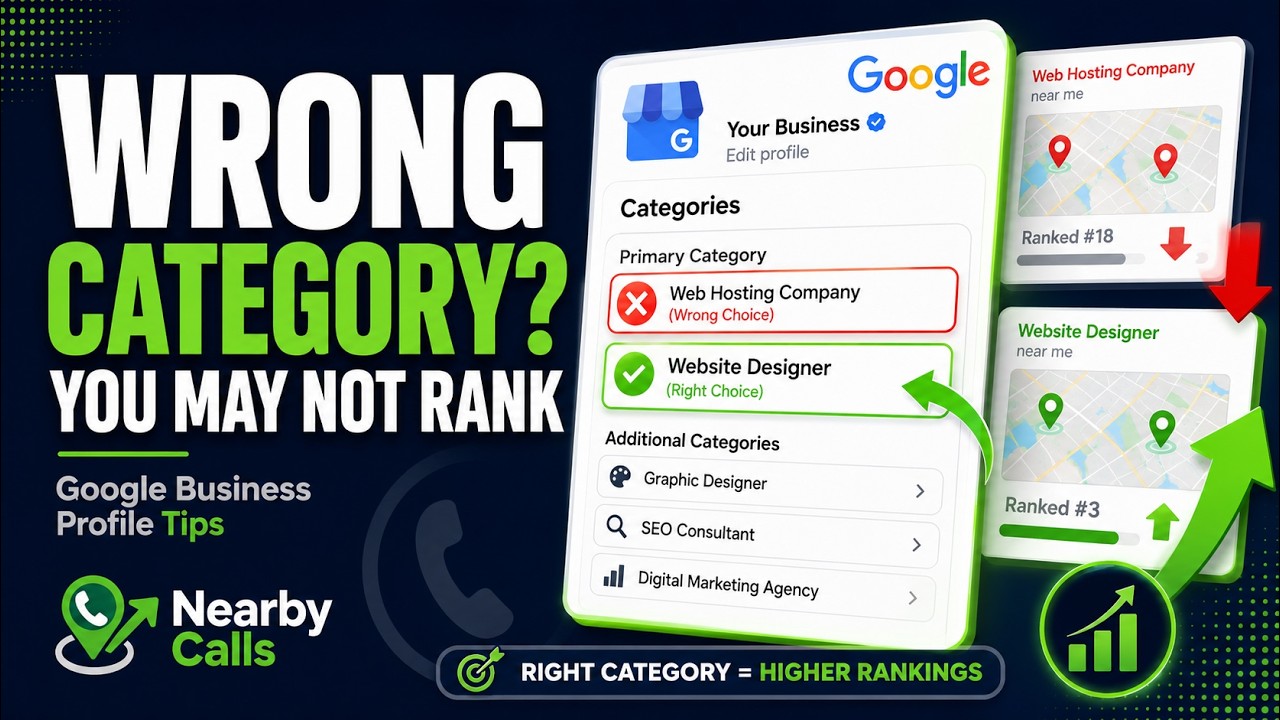
Fix Your Google Business Profile Categories to Rank Higher on Google Maps
Watch on YouTube
Strategic selection of primary versus secondary categories
Your primary category carries about 75% of the weight for ranking for specific terms. This should be the classification that represents the service that brings in your highest-margin customers or your most frequent jobs. For example, a dental practice with 47 reviews might do cleanings, but if their most profitable service is dental implants, they should audit whether 'Cosmetic Dentist' or 'Dental Clinic' serves their bottom line better based on local search volume.
Secondary categories exist to fill in the gaps and help you capture 'discovery' searches. These are searches where a user isn't looking for you by name but is looking for a service you provide. You can add up to nine secondary categories, but more is not always better. Adding irrelevant categories can dilute your profile's authority and confuse Google's algorithm about your primary focus.
A common trap is 'category stuffing.' If an auto repair shop adds 'Car Wash,' 'Towing Service,' 'Car Dealer,' and 'Used Tire Shop' all as secondary categories, Google might stop seeing them as a specialist in 'Auto Repair.' This dilution can cause a drop in rankings for your most important terms. Focus on three to five highly related secondary categories that support your main business activity without distracting from it.
To decide which secondary categories to use, look at your monthly lead data. If you are a landscaping company and notice that you get a dozen calls a week for 'sprinkler repair' during the summer, but you don't have 'Irrigation Service' as a secondary category, you are making Google work too hard. Adding that category gives the algorithm permission to show your business for those specific high-intent queries. Related reading: How to Fully Optimize Your Google Business Profile.
Warning: Edit sensitive fields carefully.Changing your primary category, business name, address, or phone number can push your profile back into an unverified state and temporarily unpublish it from Google Search and Maps until you re-verify (often by video). Make category refinements deliberately, one change at a time, and avoid editing multiple sensitive fields in the same week.
Impact on Google Maps visibility and user trust
When a user opens Google Maps and taps on a quick-search button like 'Restaurants' or 'Gas,' Google filters the results strictly by category. If your classification is slightly off, you will not appear in these one-tap searches at all. This is especially critical for businesses that rely on foot traffic or immediate service needs where the mobile user is already on the road and looking for the closest qualified provider.
Categorization also affects the 'Place Labels' on the map itself. These are the icons you see on the map without even searching. Google determines which businesses get a permanent label based on the category's importance to the area and the business's local authority. A well-categorized business is much more likely to earn a Place Label, which serves as free, 24/7 advertising for anyone browsing the local geography on their phone.
Beyond just being found, the right category builds immediate trust. When a user sees '24-Hour Emergency Plumber' as the category for a local business in Phoenix, it confirms they have found exactly what they need for their flooded basement. This visual confirmation reduces the mental friction of clicking the 'Call' button. Any mismatch between what the user expects and what your category says leads to a bounce to your competitor's profile.
Precision in your category also impacts the 'People also search for' suggestions. If your business is correctly categorized, Google will suggest you when users look at similar high-performing businesses in your area. This puts you in the same league as the market leaders. If you are poorly categorized, Google might group you with businesses that don't offer what you do, resulting in low-quality calls and wasted time for your staff. Related reading: How Google Decides Which Businesses Rank First.
How categories trigger specific Google Business Profile features
The category you choose determines which specialized tools Google gives you. For example, 'Restaurants' get menu editors and reservation links. 'Hotels' get check-in times and amenity checklists. 'Service Area Businesses' like HVAC technicians get a different set of attributes than 'Retail Stores.' If you choose the wrong category, you might find yourself unable to list your prices or your specific service offerings in the way your customers expect.
Consider a local day spa. If they categorize themselves as a 'Hair Salon,' they might lose out on the 'Booking' features specifically designed for massage therapy or skin treatments. These category-specific attributes appear as highlighted tags on your profile, such as 'Gender-neutral restroom' or 'Identifies as women-owned.' These tags are searchable and can be the deciding factor for a customer choosing who to call.
Attributes are the 'sub-adjectives' of your business. When you select a primary category like 'Pizza Restaurant,' Google unlocks attributes like 'Outdoor seating,' 'Delivery,' and 'Vegetarian options.' By filling these out accurately, you are essentially telling Google to show your profile to people who use filters in their search. Many users filter for 'Open Now' and 'Top Rated,' but they also filter by these specific attributes that only appear if your category is correct.
For professional services like lawyers or accountants, your category can even dictate whether you can show individual practitioner profiles. A 'Law Firm' can have a main profile, while individual partners can have their own 'Lawyer' profiles linked to the same location. This maximizes the 'real estate' you occupy in search results, often leading to multiple opportunities for a customer to call your office from a single search page. Related reading: How Service Areas Affect Rankings.
Seasonal adjustments and category monitoring
Your business might change focus depending on the time of year. A company in a snowy climate might be a 'Landscaper' in June and a 'Snow Removal Service' in December. Changing your primary category seasonally is a legitimate tactic to ensure you are ranking for what people are actually searching for right now. However, you must be careful to change it back once the season shifts to avoid losing your foundation for the rest of the year.
Google frequently updates its list of available categories. New designations are added often as consumer habits change. If it has been more than six months since you looked at your category list, you might be missing a newer, more specific classification that fits your business better than the generic one you chose years ago. A more specific category usually means less competition and better lead quality.
Monitoring your competitors is also vital. If you notice a competitor in your city suddenly jump ahead of you in the Map Pack, check their category. They may have switched to a more specific primary category that Google is currently favoring. Tools exist to see exactly which categories a competitor is using, even the secondary ones that aren't always visible to the public, allowing you to match their strategy.
Don't just set it and forget it. Use your Google Business Profile insights to see which search terms are actually leading to phone calls. If you see that you are getting calls for a service that is currently only a secondary category, experiment with making it your primary category for a month. Track the results closely. More often than not, alignment between high-search-volume services and your primary category results in a noticeable spike in call volume.
Avoiding common categorization mistakes that hurt ranking
One of the biggest mistakes is choosing a category that you don't actually serve just to get more traffic. If a 'Personal Injury Lawyer' selects 'Criminal Justice Attorney' because they want more leads, they will eventually be penalized. Google uses various signals, including your website content and user reviews, to verify your category. If your reviews all talk about car accidents but your category says 'Criminal Defense,' Google will lose trust in your profile and drop your rankings.
Another error is 'category conflict.' This happens when your primary and secondary categories are so different that Google can't figure out your main business focus. For instance, a 'Gourmet Grocery Store' that also lists 'Pet Grooming' as a secondary category because they have a small station in the back. This confuses the search engine. It is better to have a separate profile for a vastly different business line if the physical location allows for it.
Inconsistency across the web also ruins your efforts. If your Google Business Profile says you are a 'Coffee Shop' but your Yelp, Facebook, and website all describe you as a 'Bakery,' Google's algorithm sees this as a red flag. Local SEO relies on consistency. Ensure that your chosen Google category matches the 'About Us' description and service list on your website and other directories to reinforce your relevance.
Finally, never overlook the 'Service' list within your profile. Categories give you the bucket, but the Service list provides the specifics. Many owners pick a category and leave the Services section blank. By detailing every specific task you perform under that category—like 'tankless water heater installation' under 'Plumber'—you provide the keywords Google needs to justify showing your phone number to a potential customer. If you would rather have this handled for you, Nearby Calls keeps local profiles active, reviewed, and ranking — so the calls come in.
Frequently Asked Questions
Get found, trusted, and called on Google.
Nearby Calls helps local businesses stay active on Google, collect more reviews, and generate more customer calls.
Learn About Nearby Calls