
How Businesses Accidentally Hurt Their Rankings
Many business owners follow common SEO advice yet watch their local rankings drop because of subtle, self-inflicted mistakes. You will learn the specific ways your Google Business Profile strategy might be triggering spam filters or alienating the local search algorithm. This guide identifies the traps that prevent your business from appearing in the top three results of the Map Pack.
On This Page
Keyword stuffing and business name manipulation
One of the most frequent ways you might accidentally hurt your rankings is by adding keywords to your business name that are not on your legal documentation. A plumber in Phoenix might change their profile name from Smith Plumbing to Smith Phoenix Emergency Plumbing Repair to chase search volume. Google sees this as a violation of their guidelines, and even if it works for a week, a competitor will eventually report you using the Suggest an Edit feature. This leads to a hard suspension that removes your business from search results entirely.
When your profile is suspended, you lose all the call history and momentum built over months or years. Even after reinstatement, your rankings rarely return to their previous levels immediately because the trust score of the account has been damaged. Use your real-world name and let your category selection and website content handle the keyword relevance for you.
Consistency is your best defense against ranking drops. Ensure that your name, address, and phone number are identical across your website footer, your Google Business Profile, and professional directories like Yelp or the Better Business Bureau. Discrepancies in how your office suite is listed or whether you use a tracking number versus a local landline can confuse Google, leading the algorithm to favor a competitor with more stable data points.
If you want to include keywords safely, do it in your service descriptions and your Google updates. These sections are intended for descriptive language and do not carry the same risk of suspension as the business name field. Keep the core identity of the profile clean to ensure long-term stability in a competitive market. Want the full picture? Read our the full guide.
The danger of improper service area settings
Service area businesses often try to cover too much ground by selecting dozens of cities or a 100-mile radius in their profile settings. If a roofer in Dallas tries to list Austin, San Antonio, and Houston as service areas without physical offices there, the relevance score for the Dallas location weakens. Google prioritizes businesses that are physically closest to the searcher, and trying to be everywhere often results in being nowhere.
You actually hurt your local search competition standing by diluting your local signals. It is more effective to prove you are the best option in a 10-mile radius than to claim you service an entire state. The algorithm cross-references your service area with your website content; if your site doesn't mention those distant cities heavily, Google will stop showing your profile to users in those areas.
Another error is showing your home address when you do not actually serve customers at that location. Residential addresses are easily flagged by Google's automated systems or by competitors viewing Street View. If customers don't walk through your front door during business hours, you must hide your address and function as a service area business to avoid a profile takedown.
Focus on the neighborhoods where you already have customers. If you are a dentist with 47 reviews, most of those reviews likely come from people living within a short drive. When you try to force your profile to appear in a city 40 miles away, you are competing against businesses with higher local proximity, which lowers your overall click-through rate and signals to Google that you aren't the right fit for that search query. Related reading: The Most Common Google Business Profile Mistakes.
Mismanaged review strategies that trigger spam filters
Getting a surge of reviews in a very short period can look like a paid manipulation attempt to Google's AI. If a landscaping company goes three months with no activity and then suddenly receives fifteen 5-star reviews in two days, the profile might be flagged for review spam. This often happens when a business owner sends a mass email to their entire client list at once rather than steadily asking for reviews after each job.
The reviews themselves also matter for advanced local SEO. If every review is just five stars with no text, they provide less 'contextual weight' than a review explaining a specific service. You want customers to mention the services you provided, such as 'fixed my broken water heater' or 'installed new quartz countertops.' These keywords within reviews help you show up for those specific search terms in the Map Pack.
Responding to reviews with the same generic 'Thank you for your business' message is a missed opportunity. While it doesn't directly penalize you, it fails to build the engagement signals Google looks for. A better approach is to reply with specific details, such as 'We were happy to help with your emergency drain cleaning in Scottsdale.' This reinforces your location and service type.
Avoid the temptation to offer discounts or freebies in exchange for reviews. Not only is this against Google's terms, but it is also illegal under FTC guidelines. Customers who feel incentivized often write reviews that sound unnatural, and if Google detects a pattern of biased reviews, they may remove all your reviews, not just the new ones. This instantly kills your social proof and results in fewer phone calls. Related reading: The Biggest GBP Mistakes We See.
Inconsistent secondary category selection
Choosing the wrong primary category is a foundational mistake, but many businesses also clutter their profile with irrelevant secondary categories. An HVAC company might add 'Electrician' or 'Plumber' because they occasionally do small repairs in those fields, but if they don't have the certifications or a dedicated page on their site for those services, it confuses Google's understanding of the business's core focus.
Every category you select should be backed up by a dedicated service page on your website. If you list yourself as a 'Personal Injury Attorney' but your website only talks about criminal defense, your ranking for injury-related searches will suffer. The algorithm looks for a 1-to-1 match between what the profile claims and what the website proves.
Be careful not to select categories that are too broad if a specific one exists. A 'Coffee Shop' that also sells sandwiches should prioritize the coffee category if that is their main revenue driver. If you switch your primary category too often trying to 'test' the market, Google may view the business as unstable and drop your rankings across the board until the data settles.
Advanced local SEO involves monitoring your competitors' categories using specialized tools. You might find that the top-ranking competitor is using a primary category you hadn't considered, such as 'Tree Surgeon' instead of 'Tree Service.' However, jumping to a new category without updating your website content first is a recipe for a ranking drop. Related reading: The Most Overlooked GBP Opportunities.
Warning: Edit sensitive fields carefully.Changing your primary category, business name, address, or phone number can push your profile back into an unverified state and temporarily unpublish it from Google Search and Maps until you re-verify (often by video). Make category refinements deliberately, one change at a time, and avoid editing multiple sensitive fields in the same week.
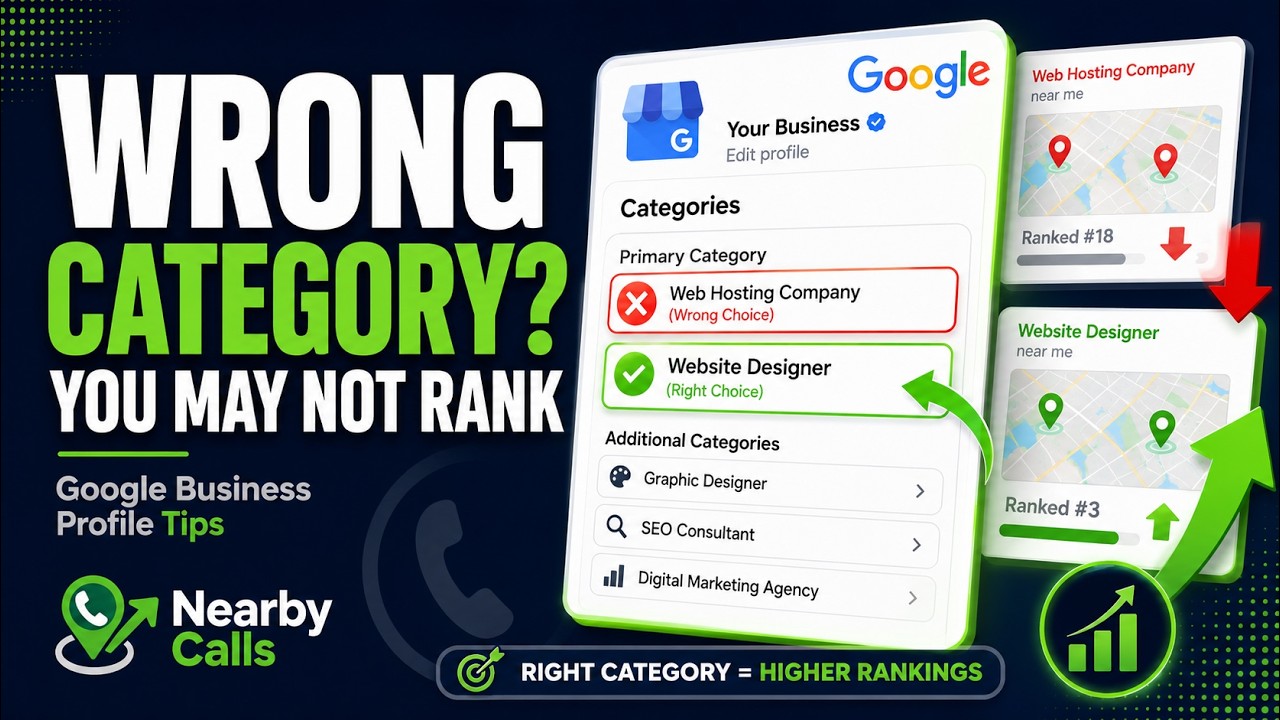
Fix Your Google Business Profile Categories to Rank Higher on Google Maps
Watch on YouTube
Neglecting the relationship between website and profile
Your Google Business Profile is not a standalone entity. It is an extension of your website. If your site is slow, not mobile-friendly, or lacks local content, your profile rankings will hit a ceiling. Google uses your website's authority to determine where to place you in the Map Pack, so a poor website experience directly hurts your visibility.
A common error is linking the profile to the homepage when it should link to a specific location page. If you have three offices, each profile should link to the specific page for that office, complete with that location's unique address, phone number, and local testimonials. Linking every profile to a generic homepage forces Google to work harder to verify each location's relevance, which can lower your position.
Local businesses often ignore the importance of internal linking. If your Google Business Profile links to a page that isn't connected to the rest of your site, it loses the 'link juice' that helps it rank. Ensure your location pages are easily accessible from your main navigation menu. This structure helps search engines crawl and understand the hierarchy of your business locations.
Content on your site should mention local landmarks, neighborhood names, and local events where appropriate. This helps Google associate your business with a specific geographic footprint. If your website reads like a generic national brand, you will struggle to compete with a local competitor who mentions they are 'located just two blocks from City Hall.' This geographic specificity is what drives local phone calls.
Failure to utilize Google Business Profile attributes
Attributes are the small tags like 'Women-owned,' 'Veteran-led,' or 'Wheelchair accessible' that appear on your profile. Many business owners leave these blank, thinking they don't matter. In reality, these attributes help you appear in filtered searches. If a user searches for 'veteran owned construction company,' and you haven't checked that box, you won't appear, even if you are qualified.
Attributes also provide visual cues in the search results that can increase your click-through rate. A 'Has Wi-Fi' or 'Outdoor seating' tag can be the deciding factor for a customer choosing between two different cafes. More clicks tell Google that your profile is a quality result, which eventually leads to higher rankings over time.
Regularly check your attributes, as Google frequently adds new ones based on seasonal trends or new categories. For example, during the pandemic, health and safety attributes became critical for ranking in medical and hospitality fields. If you are slow to update these settings, your profile looks neglected compared to competitors who are actively managing their presence.
Don't just look at the basic attributes. Check the 'Activities' or 'Services' menu within your profile manager. Google often pulls in suggested services based on what users are searching for. If you see 'Emergency Repair' suggested and you offer it, adding that as an official service attribute can give you a subtle boost in relevance for that specific term, leading to more high-intent phone calls. If you would rather have this handled for you, Nearby Calls keeps local profiles active, reviewed, and ranking — so the calls come in.
Frequently Asked Questions
Get found, trusted, and called on Google.
Nearby Calls helps local businesses stay active on Google, collect more reviews, and generate more customer calls.
Learn About Nearby Calls